Reduce accessibility risk. Improve customer experience. Build inclusive digital products.
ExceedAbility helps government and enterprise teams produce defensible WCAG 2.2 evidence, fix accessibility failures, and reduce delivery risk quickly, with Australian based specialists and procurement ready reporting.
- Working across government, education, enterprise and not for profit
- Independent Australian accessibility specialists
- Practical remediation, not just audits
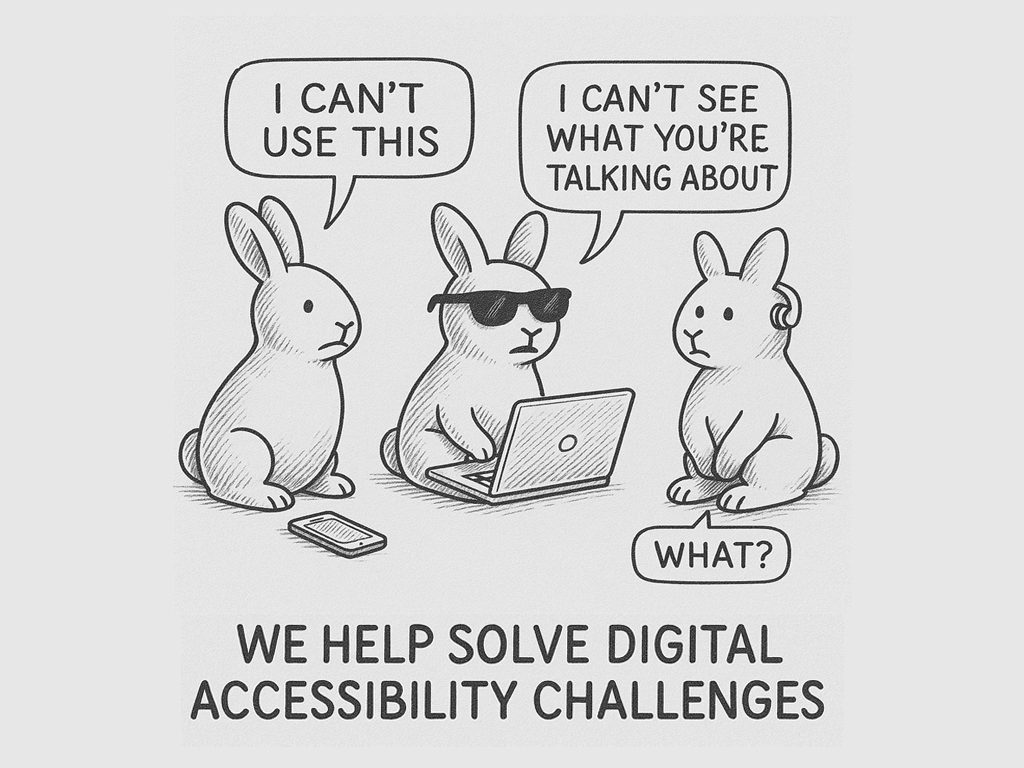
Where do you need help?
Most people arrive here because something needs fixing, and soon. Pick the situation closest to yours and we will point you to the fastest way forward.
We have a deadline, complaint or audit coming
A procurement date, a customer complaint or a compliance report due. We scope it in writing, fast.
Book an urgent scoping call (opens in a new tab)We have documents that must be accessible
PDFs, Word and PowerPoint, one file or a whole library, fixed to WCAG 2.2 and PDF/UA.
Get documents fixedWe need to know where we stand
Run a free check in a minute, or get an independent WCAG 2.2 audit with a prioritised fix list.
Run a free checkOur team or supplier needs to get it right
Role based training, embedded specialists and vendor assurance so accessibility sticks.
Build capabilityWhat is ExceedAbility?
We help organisations navigate the last mile of accessibility delivery through independent expertise, quality assurance, governance, and compliance validation. ExceedAbility is an Australian digital accessibility delivery partner for government and enterprise: we deliver WCAG 2.2 audits, document and PDF remediation, organisational uplift, role based training and assistive technology user testing, with reporting suitable for DTA, Digital Service Standard and investment oversight obligations.
End to end accessibility services
Audit, remediation, training, consulting and delivery support for accessibility programs across documents, websites and apps.
A rising tide lifts all boats.
Accessibility strengthens your reputation, reduces risk, supports compliance and keeps your digital services ready for what comes next, while delivering better outcomes for all users.
Helping you understand digital accessibility
Visual, auditory, cognitive, physical and speech disabilities each bring different access needs, whether from birth, illness, injury or age. Designing for them makes your product better for everyone.
Why accessibility matters
Inaccessible services lose customers, invite complaints and fail procurement. The Australian numbers make the case bluntly.
Accessibility tools and guides
Start today, free and with no account: check a web page or document, search the WCAG 2.2 criteria, assess your maturity or generate an accessibility statement.
Australian digital accessibility compliance deadlines
Key dates under the Australian Government Digital Experience Policy, which applies to Commonwealth entities and flows through to their suppliers
New Digital Services
The Digital Inclusion Standard applies to new public facing services delivered by Australian Government agencies from this date. It requires compliance with the Disability Discrimination Act 1992 and the latest version of WCAG.
Existing Digital Services
The Digital Inclusion Standard extends to existing public facing Australian Government services from this date. Agencies report compliance to the DTA via the Investment Oversight Framework.
Government Suppliers at Risk
- Delivered content, documentation, products and services must meet the standards agencies are held to, and ICT procurement applies AS EN 301 549
- Suppliers without conformance evidence risk exclusion from government procurement and contracts
Outside the federal policy? The Disability Discrimination Act still applies to every Australian organisation. Read is WCAG legally required in Australia, or let the Accessibility Navigator point you to the right help in three quick steps.
Open the Accessibility NavigatorCommon questions about digital accessibility
Plain answers to the questions buyers ask us most often.
What does ExceedAbility do?
We help organisations navigate the last mile of accessibility delivery through independent expertise, quality assurance, governance, and compliance validation. ExceedAbility is an Australian digital accessibility delivery partner for government and enterprise: we deliver WCAG 2.2 audits, document and PDF remediation, organisational uplift programmes, role-based training, and assistive-technology user testing - with reporting suitable for DTA, Digital Service Standard and investment oversight obligations.
Which accessibility standards does ExceedAbility audit against?
We audit against WCAG 2.2 Level AA by default - the standard required by the Australian Digital Service Standard and most state government accessibility policies. We also audit to EN 301 549, Section 508 and PDF/UA on request.
Do you work with Australian Government agencies?
Yes. We work with Commonwealth and state government agencies on WCAG 2.2 audits, DTA reporting documentation, document estate remediation, and full compliance uplift programmes. Engagements are scoped against agency procurement pathways and reporting timelines.
How long does an accessibility engagement take?
A focused WCAG audit on a typical Australian Government website takes 3-6 weeks from kick-off to final report. Full uplift programmes - audit, remediation, validation, training and governance - typically run 3-9 months depending on estate size and team capacity.
How much does an accessibility audit cost?
Pricing is provided based on scope and delivery requirements. After a 20-minute scoping call we return a fixed-price written proposal covering effort, deliverables and timeline.
Will the audit hold up to a Disability Discrimination Act complaint?
Our audit reports document evidence and methodology to a standard suitable for compliance review, public reporting and remediation planning. Each finding is tied to a WCAG 2.2 success criterion with reproducible evidence. No audit can guarantee the outcome of a complaint under the Disability Discrimination Act 1992, and this is not legal advice, but traceable evidence gathered independently of the people who built the product is the strongest position to be in.
Not sure what you need? Talk to a specialist this week.
Tell us what is happening and when it is due. We will come back with a written scope, an effort estimate and a realistic date, with no obligation.
Book a discovery call (opens in a new tab) Request an accessibility review